
Access bola77 across Android, iOS, and web
Installation walkthrough
Visit bola77.app from your device and locate the download link for Android APK, or open Safari on iOS and navigate to the same URL.
On Android, you may need to allow installation from unknown sources in device settings. On iOS, tap Add to Home Screen to create an app-like shortcut.
Create a new account using your email or phone number, or enter your credentials if you already hold a bola77 account.
Complete KYC verification by uploading an identity document through the app, then choose your deposit method—DANA, e-wallet, mobile banking, or bank transfer—and fund your account.
Native app versus browser access
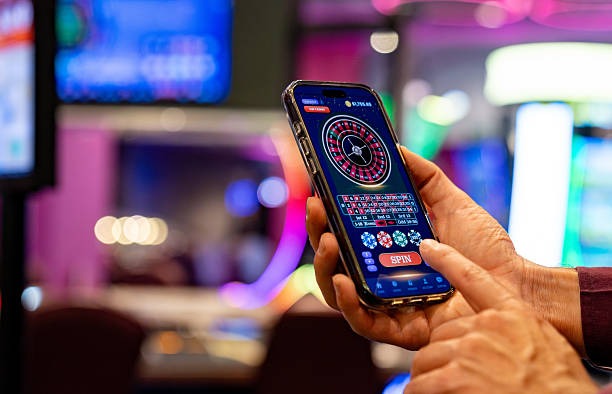
Our native Android APK stores game data locally, meaning blackjack and roulette streams load faster on repeat visits and match odds update with less lag. Push notifications alert you when your favorite Liga 1 team is about to kick off, or when a Piala Indonesia semifinal enters live betting. The browser version—on iOS or desktop—delivers the same functionality but refreshes data from the server each session. Native apps also function during local paymentef network interruptions, showing your current balance and transaction history offline. For users with limited mobile data, the app includes a low-data toggle that disables autoplay video and reduces image quality in live-dealer studio feeds.
Device compatibility
The bola77 app requires Android 7.0 or later for the APK version, and iOS 12.0 or later for the browser-based app on iPhones and iPads. Our infrastructure supports devices from entry-level budget phones to flagship models. Users on older devices or with minimal storage can opt for the web version, which runs through any modern browser—Chrome, Safari, Firefox, or Edge. We test across common devices used in Indonesia, including Xiaomi, Oppo, Vivo, Samsung, and Apple models. If your device does not meet the minimum requirements, the web version remains accessible.
Troubleshooting installation
If Android installation fails, check that Settings → Apps → Unknown sources is enabled for your browser. Some carriers and device manufacturers restrict APK installs; in those cases, the web app serves as an alternative. Certificate errors on iOS or Android can occur if your device clock is out of sync—verify the date and time are correct. A few antivirus applications flag APK downloads as suspicious; this is a false positive. If you encounter persistent errors, our support team can assist via live chat or email, available during standard operating hours across Jakarta, Surabaya, and Bandung time zones. Response times typically fall within two hours during peak hours and faster during off-peak periods.

App permissions and data security
The bola77 app requests permission to access your device's storage (for saving temporary cache data and screenshots), your camera (for KYC document upload), and location (optional, to check jurisdiction eligibility). We do not sell or share this data. Your account credentials and balance are transmitted over TLS 1.2 encryption; we do not store passwords in plaintext. Two-factor authentication is available in your account settings. If you lose access to your account—for example, after a device reset or forgotten password—our account recovery flow requires you to verify your email and provide identity confirmation. Withdrawals are processed to the same payment method used for your deposit, reducing fraud risk. Your transaction history is stored server-side and remains visible even after you uninstall the app.